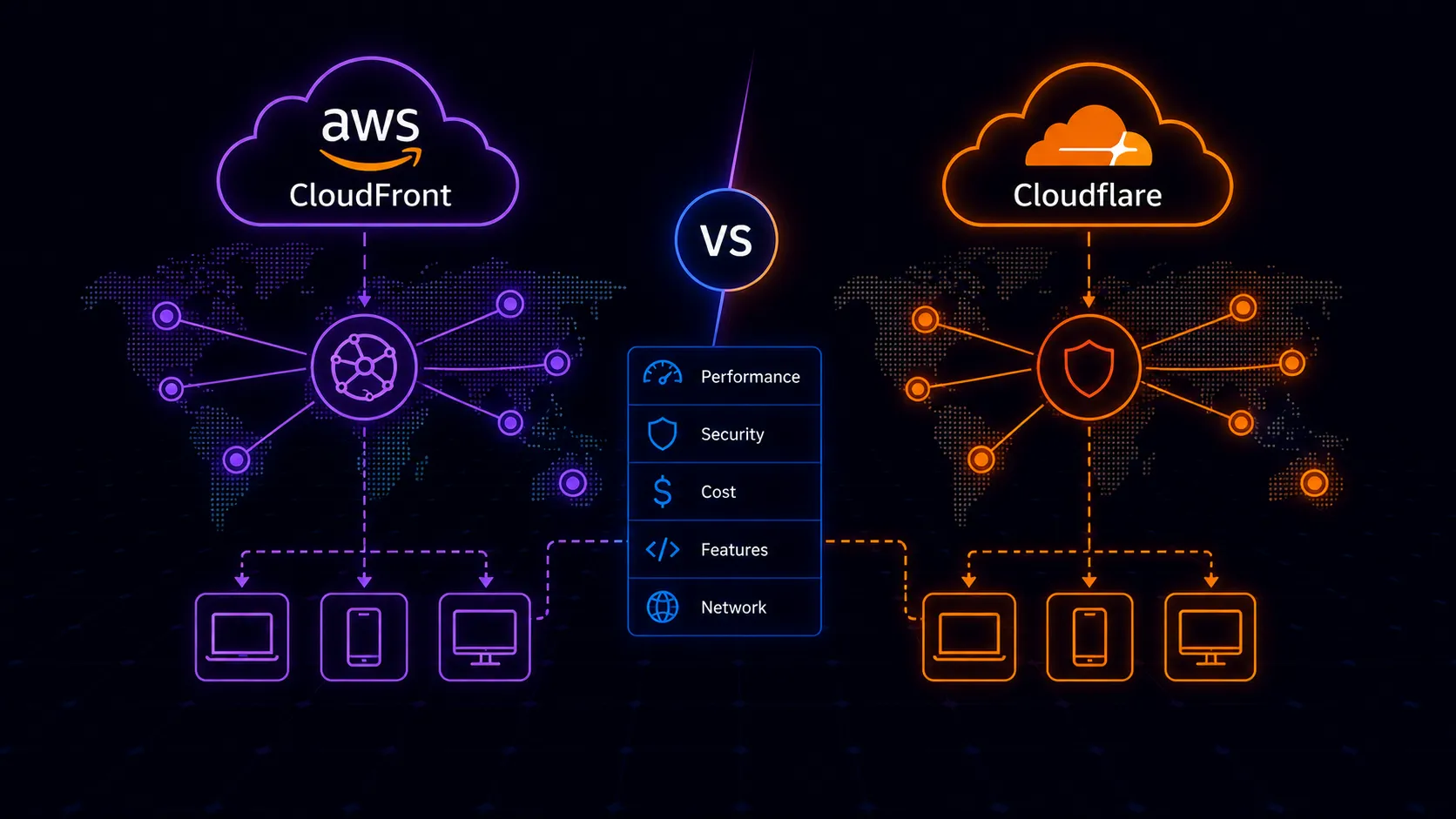
Most CDN comparisons treat CloudFront and Cloudflare as interchangeable content delivery networks. They aren’t. CloudFront is AWS’s CDN–tightly coupled to the AWS ecosystem, billed per gigabyte, designed to accelerate delivery from AWS origins. Cloudflare is a security and performance platform that happens to include a CDN with unlimited free bandwidth.
The business models are different, the architectures serve different priorities, and picking the wrong one can cost you either money or capability.
Different Products, Different Philosophies
CloudFront exists to serve AWS customers. It launched in 2008 as a way to cache and deliver content from S3 and EC2, and that lineage still defines it. Every feature–Origin Access Identity, cache behaviors tied to path patterns, Lambda@Edge for request manipulation–assumes your origin lives in AWS. It does one thing well: accelerate delivery of content from AWS infrastructure with fine-grained control over caching logic.
Cloudflare started as a reverse proxy for DDoS protection and has expanded into something much broader. CDN is one layer in a stack that includes DNS, WAF, bot management, zero trust networking, email routing, R2 object storage, and Workers for edge compute. The CDN itself is almost a loss leader–unlimited bandwidth on the free tier–because Cloudflare monetizes the security and platform features built on top of it.
This philosophical difference matters more than any individual feature comparison. CloudFront is a CDN you configure within your existing AWS setup. Cloudflare is a platform you adopt that reshapes how you think about your edge infrastructure.
CloudFront’s Strengths
Deep AWS Integration
If your stack runs on AWS, CloudFront fits like a native component. Origin Access Identity (OAI) and the newer Origin Access Control (OAC) let you restrict S3 bucket access exclusively to CloudFront–no public bucket policies, no signed URLs as a workaround. Cache behaviors can route different URL patterns to different origins: /api/* to an Application Load Balancer, /static/* to S3, /media/* to a MediaStore container. All within a single distribution.
Integration with AWS Certificate Manager means free TLS certificates with automatic renewal. CloudFront sits natively in front of API Gateway, ALB, and Elastic Beanstalk without extra configuration. If you’re using AWS WAF, you attach it directly to a CloudFront distribution. Billing consolidates into a single AWS invoice, and if your organization has an Enterprise Discount Program or committed spend agreement, CloudFront usage counts toward those commitments.
Fine-Grained Cache Control
CloudFront’s cache behavior system is more granular than what Cloudflare offers on lower tiers. You define behaviors per path pattern, each with its own TTL settings, origin, allowed HTTP methods, query string forwarding rules, and cookie handling. You can have one behavior that caches aggressively with long TTLs and strips cookies, while another passes everything through to the origin uncached.
Cache policies and origin request policies, introduced in recent years, separate what determines the cache key from what gets forwarded to the origin. This distinction matters for complex applications where you need to cache based on certain headers but forward different headers upstream.
Predictable AWS Ecosystem Behavior
CloudFront distributions can be created and managed through CloudFormation, Terraform, or the CDK like any other AWS resource. IAM policies control who can modify distributions. CloudWatch provides request metrics, error rates, and cache hit ratios. Access logs go to S3. Real-time logs can stream to Kinesis Data Streams for live analysis. Everything follows AWS patterns, uses AWS tooling, and integrates with AWS monitoring.
For teams already operating in AWS, there’s no new vendor relationship, no new dashboard, no new authentication system. Your existing IAM roles, your existing CI/CD pipelines, your existing Terraform state–CloudFront slots into all of it without introducing a second control plane.
Cloudflare’s Strengths
The Free Tier Changes the Equation
Cloudflare’s free plan includes unlimited bandwidth, basic DDoS protection, shared SSL, and five page rules. For a personal blog, a documentation site, or a small SaaS application, you get a production-grade CDN with DDoS mitigation for zero dollars. CloudFront would charge you for every gigabyte transferred and every HTTP request served.
This isn’t a trial tier or a bait-and-switch. The free plan is genuinely usable for production workloads. Many startups run their entire public-facing infrastructure through Cloudflare’s free tier until they need advanced features like custom WAF rules, advanced bot management, or priority support. A site that suddenly gets featured on Hacker News and receives a traffic spike doesn’t generate a surprise bill–the bandwidth is simply absorbed.
Larger Global Network
Cloudflare operates in over 300 cities across 100+ countries. CloudFront has roughly 600+ edge locations globally, but Cloudflare’s network is particularly strong in regions where CloudFront has thinner coverage–Africa, South America, parts of Southeast Asia. For applications with a truly global audience, Cloudflare’s broader distribution means more users hit a nearby edge node.
Network size also matters for DDoS mitigation. Cloudflare’s network capacity exceeds 200 Tbps, which absorbs volumetric attacks at the edge before they reach your infrastructure. CloudFront provides DDoS protection through AWS Shield Standard (included) and Shield Advanced (additional cost), but the mitigation architecture differs–Shield Advanced is a paid service starting at $3,000/month.
Built-In Security on Every Plan
Every Cloudflare plan–including free–includes DDoS protection, basic WAF rules, and SSL/TLS encryption. You don’t configure these separately or pay extra for baseline protection. Rate limiting, managed rulesets, and bot score are available on paid plans but the foundation is there from day one.
With CloudFront, WAF is a separate service (AWS WAF) billed per rule and per million requests inspected. DDoS protection beyond the basic Shield Standard requires Shield Advanced. Bot management requires either custom Lambda@Edge logic or third-party solutions. The total cost of equivalent security features is substantially higher on AWS.
A Broader Platform
Cloudflare isn’t just a CDN. DNS management is fast and free. R2 provides S3-compatible object storage with zero egress fees. Email routing handles custom domain email without a mail server. Zero Trust replaces VPNs for internal application access. Pages deploys static sites from Git. Each service integrates with the others, and many are included in lower-tier plans.
This breadth means you can consolidate services. DNS, CDN, WAF, DDoS protection, edge compute, object storage, and access management from a single vendor with a single dashboard. Whether that consolidation is an advantage or a concerning vendor dependency depends on your perspective and your organization’s risk tolerance.
The practical upside is real though. A small team can set up DNS, enable CDN caching, configure WAF rules, deploy an edge Worker, and store assets in R2–all from the same dashboard, under the same account, without stitching together five different AWS services that each have their own pricing model and configuration surface.
Edge Compute: Workers vs Lambda@Edge
This is where the gap between the two platforms is widest.
Cloudflare Workers run on every edge node in Cloudflare’s network. They start in under 5 milliseconds with no cold starts. The runtime supports JavaScript, TypeScript, Rust, C, and C++ compiled to WebAssembly. Workers KV provides globally distributed key-value storage. Durable Objects offer strongly consistent state at the edge. D1 gives you SQLite databases distributed across the network. R2 provides object storage accessible from Workers without egress fees.
You can build entire applications on Workers–not just request manipulation, but full APIs, authentication flows, A/B testing, personalization, and data processing. The free tier includes 100,000 requests per day. Paid plans start at $5/month for 10 million requests. The developer experience is strong too: wrangler provides local development, testing, and deployment in a single CLI tool.
CloudFront offers two options, and the split itself introduces complexity.
CloudFront Functions handle lightweight tasks–URL rewrites, header manipulation, simple redirects–at sub-millisecond execution with a 2 ms time limit and a constrained JavaScript runtime. They’re fast but severely limited in what they can do. No network calls, no file system access, a maximum of 10 KB in function size.
Lambda@Edge provides more capability: full Node.js or Python runtimes, up to 30 seconds of execution time, access to external APIs and AWS services. But Lambda@Edge functions run in regional edge caches (not every PoP), suffer from cold starts that can add hundreds of milliseconds, and cost significantly more per invocation. Deployment is slower too–updating a Lambda@Edge function requires replication across regions, which can take several minutes. There’s no equivalent to KV, Durable Objects, or D1 on the CloudFront side, so any stateful edge logic requires calls back to a central AWS region.
If edge compute is a meaningful part of your architecture, Workers is the substantially stronger platform. The gap isn’t close.
Pricing Realities
CloudFront bills per GB of data transfer out, per HTTP/HTTPS request, and per invalidation request beyond the free monthly allocation. Rates vary by region–North America and Europe are cheapest, India and South America are the most expensive. A site serving 1 TB/month from North America costs roughly $85 in data transfer alone. Add requests, Lambda@Edge invocations, and WAF rules, and the bill grows.
Cloudflare’s free tier covers unlimited bandwidth. The Pro plan ($20/month) adds enhanced WAF, image optimization, and faster support. Business ($200/month) adds custom WAF rules, SLA guarantees, and advanced features. Enterprise pricing is custom.
The comparison isn’t straightforward because the products bundle differently. A fair comparison includes equivalent features: CloudFront + AWS WAF + Shield Advanced + Route 53 + Lambda@Edge versus Cloudflare Pro or Business. At that level, Cloudflare is typically cheaper, often significantly so for bandwidth-heavy workloads.
CloudFront does offer a free tier (1 TB transfer, 10 million requests per month) and Security Savings Bundles that discount CloudFront and WAF together for committed usage. These help, but per-GB pricing fundamentally scales differently than flat-rate plans. A traffic spike on CloudFront means a higher bill. A traffic spike on Cloudflare’s free or Pro tier means the same bill.
For organizations with predictable, high-volume traffic, CloudFront’s pricing can be negotiated through Private Pricing agreements at scale. But you need significant volume to qualify, and even then, Cloudflare’s flat-rate model is simpler to budget for.
Performance Considerations
For AWS origins–S3, ALB, API Gateway–CloudFront has an inherent advantage. Traffic between CloudFront and AWS origins stays on Amazon’s private backbone, avoiding public internet routing. This means cache misses that require an origin fetch complete faster because the request never touches the public internet. Origin Shield adds an additional caching layer that reduces origin load and improves cache hit ratios for geographically distributed requests. If your origin is in us-east-1 and a user in Tokyo triggers a cache miss, Origin Shield can serve a cached copy from a regional layer rather than going all the way back to the origin.
Cloudflare connects to your origin over the public internet unless you’re using Cloudflare’s Argo Smart Routing (paid add-on), which optimizes the path through Cloudflare’s private backbone. For non-AWS origins, Cloudflare’s performance is typically equal to or better than CloudFront due to the larger edge network and more points of presence in underserved regions. For AWS origins specifically, CloudFront’s private backbone gives it a measurable latency advantage on the origin fetch.
Cache hit ratios depend more on your configuration than on the CDN provider. Both support cache keys based on headers, query strings, and cookies. Both support stale-while-revalidate behavior. Both provide real-time analytics on cache performance. The differences in caching capability are marginal for most use cases.
One practical note: Cloudflare’s Tiered Cache (free) and CloudFront’s Origin Shield (additional cost per request) serve the same purpose–reducing origin fetches by adding an intermediate cache tier. Both improve hit ratios for long-tail content. Cloudflare including this for free is another example of how its bundling favors smaller budgets.
Security Feature Comparison
Both platforms provide WAF and DDoS protection, but the packaging differs dramatically.
Cloudflare includes DDoS mitigation on every plan, including free. The WAF on free and Pro tiers covers OWASP core rulesets and Cloudflare-managed rules. Bot management on Business and Enterprise plans uses machine learning scoring to distinguish automated traffic from humans. Rate limiting is configurable on paid plans with granular rules based on URL patterns, request methods, and headers.
CloudFront’s security story requires assembling separate services. AWS WAF attaches to CloudFront distributions and bills per web ACL, per rule, and per million requests evaluated. You build or import rule groups–AWS Managed Rules, marketplace rules from vendors, or custom rules you write yourself. The flexibility is high, but so is the configuration surface. AWS Shield Standard is automatic and free; Shield Advanced adds DDoS response team support, cost protection, and advanced mitigation for $3,000/month plus data transfer fees. Bot management typically means writing Lambda@Edge functions or buying a third-party solution through the AWS Marketplace.
The net result: a Cloudflare Pro account ($20/month) includes security features that would cost hundreds or thousands on AWS when you factor in WAF rules, Shield Advanced, and custom bot handling.
When to Choose CloudFront
CloudFront is the right choice when your infrastructure is deeply rooted in AWS and you want your CDN to be just another resource in that ecosystem. The value proposition isn’t that CloudFront is the best CDN in isolation–it’s that it’s the best CDN for AWS-native architectures. Specific scenarios:
- Your origins are S3 buckets and ALBs, and you want OAC/OAI for secure origin access without public endpoints
- Your organization has AWS Enterprise agreements or committed spend that CloudFront usage counts toward
- You need CloudFormation/CDK/Terraform management of CDN configuration alongside other AWS resources
- Compliance requirements mandate keeping your infrastructure within a single cloud provider
- You’re already paying for AWS WAF and Shield Advanced, so the incremental CDN cost is manageable
- Your audience is concentrated in regions where CloudFront’s network is strong and the per-GB cost is low
When to Choose Cloudflare
Cloudflare is the right choice when cost efficiency matters, when you need security features without enterprise pricing, or when edge compute is part of your architecture. It’s also the better choice for multi-cloud or cloud-agnostic setups where tying your CDN to a single provider creates unwanted coupling. Specific scenarios:
- You’re cost-conscious and bandwidth-heavy–Cloudflare’s free or Pro tier versus CloudFront’s per-GB billing is a significant difference at scale
- You need DDoS protection and WAF without paying separately for AWS WAF and Shield Advanced
- Edge compute with Workers is part of your architecture–for personalization, A/B testing, API routing, or full edge applications
- Your origins span multiple cloud providers or on-premise infrastructure, not just AWS
- You want DNS, CDN, WAF, and edge compute in a single platform without stitching together separate AWS services
- You’re a startup or small team that needs production-grade infrastructure without production-grade bills
The Bottom Line
If you’re running an AWS-native stack with S3 and ALB origins, existing AWS billing agreements, and no need for edge compute beyond basic request manipulation, CloudFront is the natural choice. It integrates seamlessly, bills predictably within your existing AWS relationship, and performs well for AWS-origin content. The value of having your CDN managed through the same IAM policies, CloudFormation templates, and monitoring dashboards as the rest of your infrastructure is real, and shouldn’t be dismissed.
For nearly everyone else, Cloudflare offers more value. The free tier alone–unlimited bandwidth, DDoS protection, basic WAF–outcompetes CloudFront’s paid offering for many workloads. Workers provide a genuinely superior edge compute platform. The broader network serves global audiences better. And the platform’s breadth means you get DNS, security, and edge compute without assembling separate services.
One pattern worth noting: some teams use both. Cloudflare in front as the edge proxy handling DNS, DDoS mitigation, and WAF, with CloudFront behind it as the AWS-integrated caching layer close to their origins. It’s not the simplest setup, but it lets you get Cloudflare’s security and network breadth while keeping CloudFront’s private backbone to AWS origins. For most teams the added complexity isn’t worth it, but for high-traffic AWS workloads that also need Cloudflare’s security stack, it works.
The market reflects reality. Cloudflare has become the default CDN for startups, indie developers, and increasingly for enterprises running multi-cloud architectures. CloudFront remains the default for teams deeply invested in AWS who value ecosystem consistency over individual feature strength. Both are production-grade, both serve billions of requests daily. The deciding factor is usually whether AWS integration or platform breadth matters more to your specific situation.