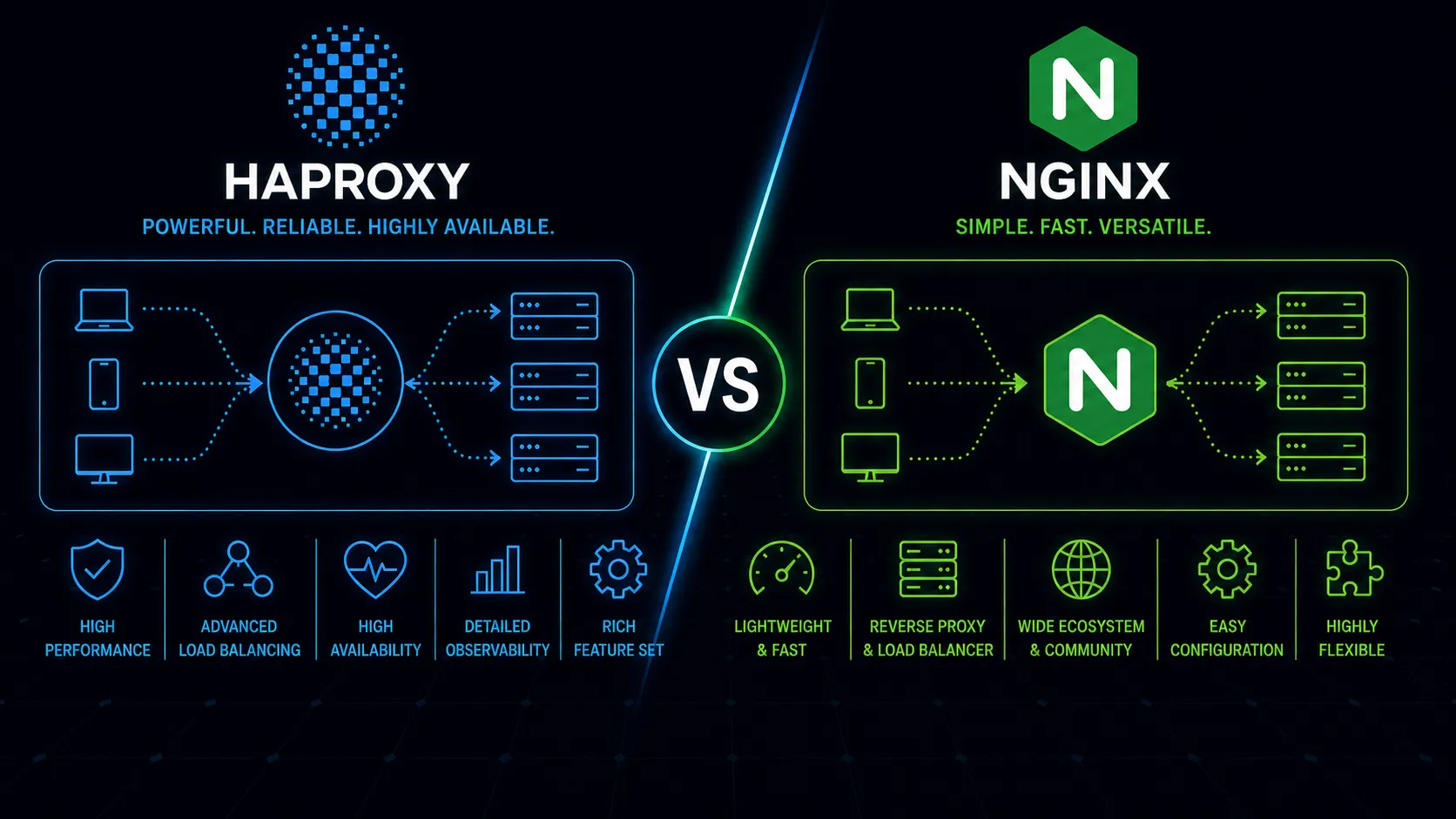
Most comparisons between HAProxy and Nginx frame them as interchangeable. They are not. HAProxy is a load balancer and proxy that happens to speak HTTP. Nginx is a web server that learned to load balance. Both route traffic to backends, and both handle massive scale. But their design priorities diverge in ways that matter once your load balancing needs move beyond round-robin across three backend servers.
If you have read our Nginx vs Apache, Nginx vs Caddy, or Traefik vs Nginx comparisons, those focus on web serving, reverse proxying, and container-native routing. This article is specifically about load balancing – the problem of distributing connections across backend servers reliably, efficiently, and with the granular control that production traffic demands.
Different Tools, Different Origins
HAProxy was created in 2000 by Willy Tarreau with a single purpose: proxy and load balance TCP and HTTP traffic. Every feature since then has served that mission. Its architecture is built around connection management, health checking, and traffic distribution. There is no static file serving, no CGI, no content generation. HAProxy does one thing and does it with obsessive depth.
Nginx arrived in 2004 as a high-performance web server designed to solve the C10K problem. Its event-driven architecture made it excellent at handling concurrent connections, and over time it gained upstream modules for load balancing. Those capabilities are real and production-proven, but they are additions to a web server rather than the core of a purpose-built load balancer.
This origin difference shows up in surprising places. HAProxy’s configuration language thinks in terms of frontends, backends, and ACLs for routing decisions. Nginx thinks in terms of server blocks, locations, and upstream groups. Both can express similar routing logic, but HAProxy’s abstractions map more naturally to load balancing concepts.
Layer 4 vs Layer 7
HAProxy was designed from the start to operate at both Layer 4 (TCP) and Layer 7 (HTTP). Its TCP mode is not an afterthought – it handles raw TCP connections with the same sophistication it applies to HTTP: health checks, connection limits, timeouts, and stick tables all work at L4. You can load balance PostgreSQL connections, Redis clusters, MQTT brokers, or any TCP service with full connection management.
Nginx added the stream module for TCP/UDP proxying, and it works for basic use cases. But it arrived later, has fewer features than the HTTP modules, and lacks parity with HAProxy’s L4 capabilities. You cannot, for instance, use Nginx’s open-source stream module for active health checks or detailed per-connection metrics. The stream module also does not support the same breadth of load balancing algorithms available in the HTTP context.
If your load balancing needs are primarily HTTP, this gap is academic. If you are load balancing non-HTTP services – database connections, custom TCP protocols, game servers – it is not.
Load Balancing Algorithms
This is where HAProxy’s specialization becomes obvious. HAProxy ships with a wide range of scheduling algorithms: roundrobin, leastconn, source, uri, url_param, hdr, rdp-cookie, and random. Each serves a specific traffic pattern. Need to route users to the same backend based on a cookie value? rdp-cookie or stick tables handle it. Want to distribute API traffic based on the request URI so cache locality improves? uri hashing does that directly.
Nginx’s open-source offering provides round-robin, least_conn, ip_hash, and hash (with a custom key). These cover common scenarios well. For straightforward round-robin or least-connections distribution across a pool of identical backends, Nginx works fine. The hash directive with a custom variable gives some flexibility – you can hash on $request_uri or $cookie_session_id – but it is a general-purpose mechanism rather than purpose-built algorithms. When you need algorithm-level control over how traffic is distributed – routing by HTTP header, by URL parameter, by cookie – you either reach for Nginx Plus or start writing custom logic.
HAProxy also supports server weighting with slow-start. When a new backend joins the pool – after a deployment, a restart, or recovery from a failure – HAProxy can gradually ramp up its traffic share over a configurable period. This prevents a cold server with empty caches from being hit with full production load immediately, which matters for applications where the first few hundred requests are significantly slower due to JVM warmup, cache population, or connection pool establishment.
The practical impact: if your load balancing needs are “distribute requests roughly evenly across healthy backends,” both tools handle it. If your needs involve session affinity based on application-specific data, weighted routing with slow-start ramp-up for new servers, or connection-aware scheduling that accounts for backend response time, HAProxy provides these natively.
Health Checks
Health checking is where HAProxy’s purpose-built nature is most apparent. HAProxy supports active health checks that go well beyond “can I open a TCP connection.” You can configure HTTP health checks that verify specific response codes, check response body content, and evaluate response headers. Agent checks let your backend servers actively report their health and capacity to HAProxy via a simple protocol on a separate port – a backend can tell HAProxy “I’m at 80% capacity, slow down” or “take me out of rotation for maintenance.”
HAProxy also supports complex thresholds. You can configure how many consecutive failures trigger a backend going down, how many successes bring it back, and set observation windows. The observe keyword lets HAProxy passively monitor real traffic for errors, removing backends that start returning 5xx responses without waiting for the next health check interval.
Nginx’s open-source version is limited to passive health checks. If a request to a backend fails, Nginx marks it as unavailable for a configurable period. There are no active health checks probing backends independently of real traffic. Nginx Plus adds active health checks with configurable intervals, match conditions, and slow-start, closing much of this gap. But in the free tier, you are flying with significantly less visibility into backend health.
The combination of active checks, agent checks, and passive observation creates a layered health model. HAProxy can detect a backend that passes TCP health checks but returns garbage on HTTP, or one that is technically alive but overloaded and responding slowly. These nuances matter in production. A backend returning 200 OK on its health endpoint while its response times climb from 50ms to 5 seconds is a problem that passive-only health checks catch too late – after real users have experienced degraded service.
For environments where backend health is dynamic and degradation needs to be caught before users notice, HAProxy’s health checking is materially better out of the box.
Stick Tables and Connection Management
Stick tables are an HAProxy feature with no direct Nginx equivalent. They are in-memory key-value tables that track per-client or per-session data: connection rates, request counts, error rates, bytes transferred, and custom counters. This data persists across requests and can be used for routing decisions, rate limiting, and abuse detection.
A common pattern: use a stick table to track requests per source IP over a sliding window, then deny or tarpit connections that exceed a threshold. This is connection-level rate limiting built into the load balancer, enforced before requests reach your application servers. You can also use stick tables to implement session persistence that survives backend restarts, or to synchronize state between HAProxy peers in an active-active setup.
Stick tables can also replicate between HAProxy peers. In an active-active HAProxy deployment, stick table entries synchronize across instances, so rate-limiting counters and session persistence data are consistent regardless of which HAProxy node handles a given request. This is built-in high availability for stateful load balancing decisions – no external data store required.
Nginx handles rate limiting through its limit_req and limit_conn modules, which work well for request-rate and connection-count limiting. But the integration is less fluid than HAProxy’s stick tables, which combine rate tracking, session persistence, and traffic shaping into a single mechanism that operates at the connection level.
The Runtime API
HAProxy exposes a powerful runtime API over a Unix socket or TCP connection. Through it, you can drain connections from a backend server before maintenance, adjust server weights on the fly, enable or disable backends, query current connection counts and session data, and view detailed statistics – all without reloading configuration or dropping a single connection.
Connection draining deserves emphasis. When you need to remove a backend server for maintenance, HAProxy’s runtime API lets you set it to drain mode. Existing connections finish naturally while new connections route elsewhere. This is zero-downtime maintenance at the load balancer level, controlled programmatically. In a deployment pipeline, your CI/CD system can call the HAProxy socket to drain a server, wait for active connections to finish, deploy the new version, run a health check, then re-enable the server – all without touching a configuration file.
The runtime API also enables dynamic server addition. You can add backend servers to a pool at runtime, which is useful in auto-scaling scenarios where new instances register themselves with the load balancer through automation rather than configuration management.
Nginx applies configuration changes through a graceful reload (nginx -s reload), which works well but is a blunter instrument. You cannot drain a specific upstream server without editing configuration and reloading. Nginx Plus adds an API for dynamic upstream management, but the open-source version lacks this capability. For teams using Nginx as a load balancer in dynamic environments, this typically means building tooling around config templating and reload orchestration – a solvable problem, but one HAProxy handles natively.
For operations teams managing large backend pools with frequent maintenance windows, HAProxy’s runtime API is a significant operational advantage.
Performance
Both HAProxy and Nginx handle enormous traffic volumes. They are both event-driven, non-blocking, and capable of saturating 10Gbps network interfaces. In synthetic benchmarks, the differences are small enough that your bottleneck will almost certainly be elsewhere.
That said, HAProxy tends to edge ahead in pure proxying workloads – forwarding TCP connections or HTTP requests to backends with minimal processing. Its code path for connection handling is shorter because it does not carry the overhead of a web server. For Layer 4 (TCP) proxying in particular, HAProxy is exceptionally efficient. Proxying database connections, mail servers, or arbitrary TCP services is a first-class use case, not an afterthought.
Nginx wins when you need the load balancer to also serve static content, terminate TLS and serve OCSP responses, cache upstream responses, or perform content manipulation. Doing all of that in a single process avoids the overhead of an additional hop. If your architecture has Nginx both serving static assets and proxying dynamic requests, adding HAProxy in front would add latency without clear benefit.
Memory usage tells a similar story. HAProxy is lean because it only does proxying. Nginx’s memory footprint is also small, but it carries the weight of modules you may not use. In container environments where you are sizing resource limits tightly, HAProxy’s predictable and minimal memory consumption is a practical benefit for a dedicated load balancing pod.
The performance question is less “which is faster” and more “which avoids an unnecessary extra hop in your architecture.”
Observability
HAProxy ships with a detailed stats dashboard accessible via a built-in web interface. It shows per-frontend, per-backend, and per-server metrics: current sessions, request rates, error rates, response time percentiles, bytes in and out, health check status, and queue depth. This dashboard is available in the open-source version with no additional tooling. HAProxy also has a native Prometheus exporter and CSV/JSON stats endpoints for integration with monitoring systems.
Nginx’s open-source stub_status module provides a handful of counters: active connections, total accepted connections, total handled requests, and current reading/writing/waiting counts. That is the extent of built-in observability. For meaningful metrics, you need third-party exporters that parse access logs or scrape the status page. Nginx Plus significantly improves this with a comprehensive API and dashboard, but again at a commercial cost.
During an incident, this gap becomes acute. When a backend starts misbehaving, HAProxy’s stats page tells you which server is the problem, what its error rate looks like, how many connections are queued, and how long requests are taking – in real time, without deploying additional monitoring infrastructure. With Nginx’s open-source offering, you are parsing access logs or relying on external tools to reconstruct that picture.
If visibility into your load balancer’s behavior matters – and it should – HAProxy provides dramatically more information by default.
The Nginx Plus Factor
Many of HAProxy’s advantages over Nginx disappear when comparing against Nginx Plus rather than the open-source version. Nginx Plus adds active health checks, session persistence, dynamic upstream reconfiguration via API, a real-time dashboard, and advanced load balancing features. It is a capable load balancer.
The trade-off is cost. Nginx Plus is a commercial product with per-instance licensing that runs several thousand dollars per year per instance. HAProxy’s full feature set is open source – active health checks, stick tables, runtime API, stats dashboard, and all the advanced algorithms cost nothing. For organizations running dozens of load balancer instances, the licensing cost of Nginx Plus adds up quickly. HAProxy Enterprise exists as a commercial offering with additional features like a web-based management console, advanced rate limiting, and commercial support, but the open-source HAProxy already includes the features that Nginx locks behind its commercial tier.
If your organization already pays for Nginx Plus, the load balancing gap narrows considerably and the decision becomes more about architecture than features. If you are comparing free tools, HAProxy offers substantially more load balancing capability without spending money. That cost asymmetry is hard to ignore when evaluating the two for a dedicated load balancing role.
It is worth noting that HAProxy also has a thriving open-source community and frequent releases. Configuration documentation is thorough, and the mailing list is active with responses from the core developers. Nginx’s open-source community is large but more fragmented, split between the original open-source project, the F5-backed commercial direction, and the forks that emerged in recent years. For teams evaluating long-term project health, both are stable, but the dynamics differ.
When to Choose HAProxy
HAProxy is the stronger choice when load balancing is the primary job:
- Dedicated load balancing tier. If your architecture has a separate layer whose only job is distributing traffic, HAProxy fits that role precisely.
- Advanced traffic management. Session affinity via cookies or headers, weighted routing with slow-start, connection draining for zero-downtime deployments.
- Layer 4 proxying. TCP load balancing for databases, message queues, or non-HTTP services where HAProxy’s L4 capabilities shine.
- Detailed health checking. Environments where backends degrade unpredictably and you need active checks with agent reporting and complex thresholds.
- Operational control. Teams that want runtime API access to manage backends, drain connections, and adjust weights without configuration reloads.
- Observability without extras. The built-in stats dashboard and Prometheus exporter provide production-grade visibility with zero additional tooling.
- High-availability load balancing. HAProxy peers with stick table replication and VRRP (via keepalived) provide a well-documented active-active or active-passive HA pattern.
- Rate limiting and abuse prevention at the edge. Stick tables give you connection-level rate limiting and tracking before traffic hits your application.
When to Choose Nginx
Nginx is the stronger choice when the load balancer also needs to be a web server:
- Combined web server and load balancer. Serving static content, terminating TLS, caching responses, and distributing dynamic requests to backends – all in one process.
- Simpler architectures. If your load balancing needs are basic round-robin or least-connections across a handful of backends, Nginx handles it with less conceptual overhead.
- Existing Nginx infrastructure. Teams already running Nginx for web serving who want to add load balancing without introducing another tool.
- Content-aware processing. Scenarios involving response caching, content compression, sub-request authentication, or Lua scripting where Nginx’s module ecosystem adds value at the proxy layer.
- Nginx Plus availability. If your organization already licenses Nginx Plus, its load balancing features close most gaps with HAProxy.
- TLS termination with proxying. Nginx’s TLS handling is mature and efficient, and combining termination with load balancing in a single process simplifies the architecture.
What About Cloud Load Balancers?
A reasonable question: why run either when AWS ALB, GCP Load Balancing, or Azure Application Gateway exist? Cloud load balancers handle the operational burden of running and scaling the proxy layer. For many workloads, they are the right choice.
HAProxy and Nginx still have roles in cloud environments. Cloud load balancers typically offer basic round-robin or least-connections distribution with limited health check customization. If you need stick table-based rate limiting, agent checks, custom algorithms, or fine-grained connection draining, you run HAProxy behind the cloud load balancer. Nginx fills a similar internal role when you need content caching, TLS re-encryption between services, or Lua-based request processing.
Many architectures use a cloud load balancer at the edge and HAProxy or Nginx internally for finer-grained traffic management. The tools are complementary, not competing. The cloud load balancer handles internet-facing concerns like DDoS mitigation and geographic routing, while HAProxy or Nginx manages the application-level traffic distribution that requires domain-specific logic.
The Bottom Line
HAProxy is the better dedicated load balancer. Nginx is the better web server that can also load balance. That distinction sounds simple, but it drives the right decision for most architectures.
If load balancing is a dedicated concern in your infrastructure – a tier that exists solely to distribute traffic, manage backend health, and provide connection-level control – HAProxy gives you more depth, better observability, and finer-grained operational tools. Its open-source feature set covers capabilities that Nginx reserves for its commercial product.
If your load balancer also needs to serve files, cache content, terminate TLS for multiple domains, or run Lua scripts for custom request processing, Nginx’s versatility avoids adding another component. The load balancing is good enough for most workloads, and consolidating roles into one process has real operational value.
Do not overthink this. If you are setting up load balancing today and the job is purely distributing traffic across backends, start with HAProxy. You will get better health checks, better observability, better operational tooling, and a deeper feature set – all for free. If you already run Nginx and your load balancing requirements are modest, adding an upstream block is simpler than introducing a new tool.
For many production architectures, the answer is both: Nginx at the edge handling TLS and static content, HAProxy behind it managing traffic distribution across backend pools. Each tool does what it was built to do. That is not a compromise – it is using the right tool for each job.