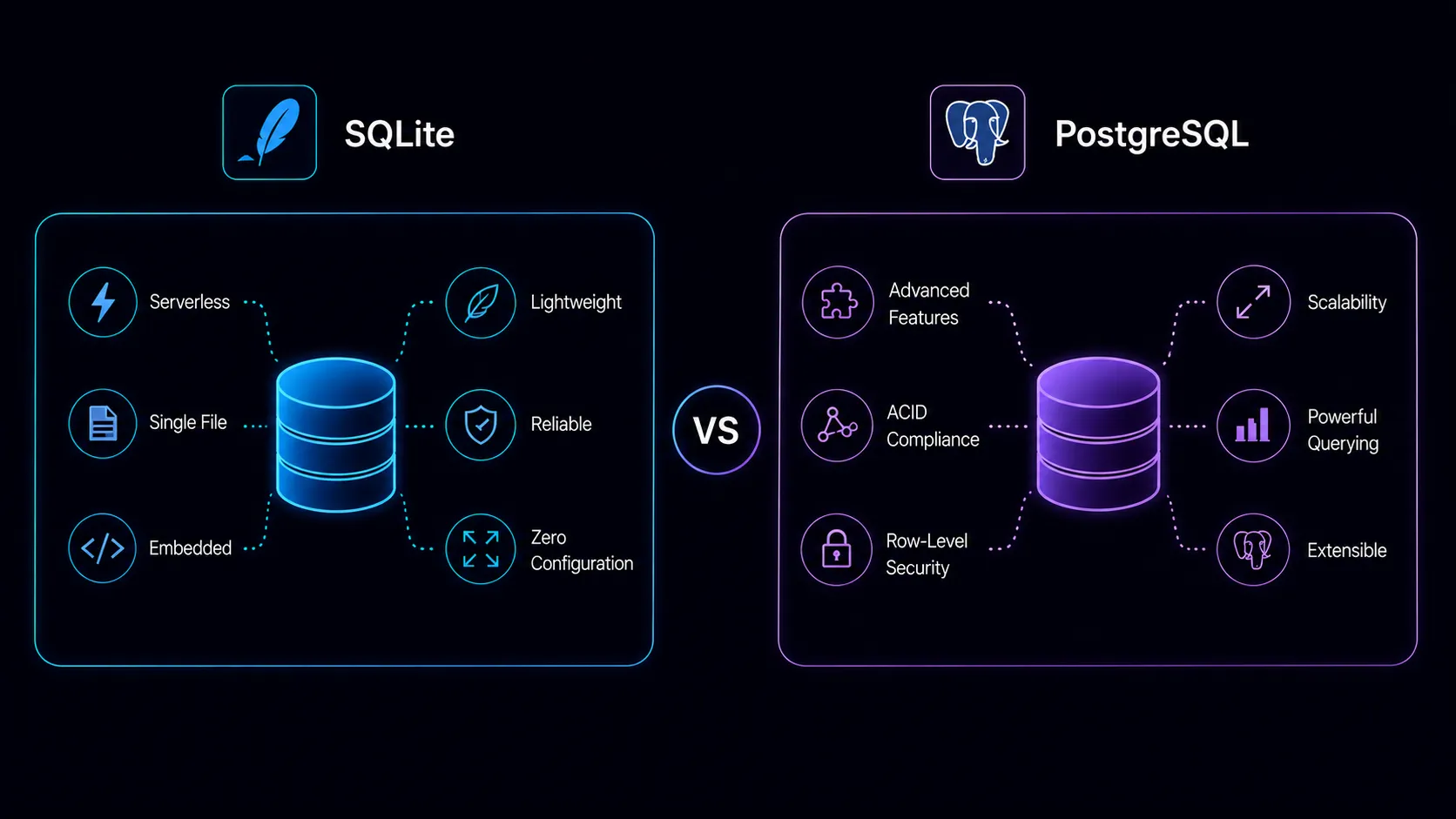
SQLite is not a smaller PostgreSQL. PostgreSQL is not a heavier SQLite. They solve fundamentally different problems, and the choice between them isn’t about which is “better”–it’s about whether you need a database server at all.
SQLite is a C library that reads and writes directly to a single file on disk. No daemon, no socket, no configuration. PostgreSQL is a full client-server database with its own process, network protocol, and access control. That architectural difference shapes every trade-off that follows.
Most database comparisons assume you’re choosing between two competing products. This one is different. SQLite and PostgreSQL aren’t competing–they’re designed for different deployment models. The question isn’t which is faster or more feature-rich. It’s whether your application actually needs a database server, or whether that server is unnecessary complexity you’ve inherited from convention. Getting this wrong in either direction costs you–either in operational overhead you didn’t need, or in hitting architectural walls you could have avoided.
What SQLite Actually Is
SQLite is an embedded database engine. It compiles into your application as a library–around 600KB–and stores an entire database in one cross-platform file. There’s no separate server process to install, configure, or maintain. Your application calls SQLite functions directly, and SQLite reads and writes the file.
This simplicity is not a limitation. It’s a design choice, and it makes SQLite the most widely deployed database engine in the world. It runs inside every Android phone, every iPhone, every copy of Chrome, Firefox, and Safari. It’s in aircraft flight software. It’s in television sets. SQLite processes more queries per day than PostgreSQL, MySQL, SQL Server, and Oracle combined–by orders of magnitude.
The reliability record is remarkable. SQLite has 100% branch test coverage. The test suite contains roughly 150,000 test cases and runs billions of tests using fuzz testing and boundary value analysis. For a piece of software that lives inside medical devices and avionics, that level of testing isn’t optional.
Deployment is also trivial. Your database is a single file you can copy, email, or check into version control. There’s no install step for the end user. No port configuration. No authentication setup. You ship your application, and the database is just there. For developers accustomed to provisioning database servers, writing connection strings, and managing credentials, the difference is jarring in the best way.
Testing benefits enormously from this model. Spin up a fresh SQLite database for each test run–it’s just creating a file (or using :memory: for an in-memory database). No test database server to maintain. No teardown scripts to reset state. No port conflicts when running tests in parallel. The feedback loop is faster, and the test infrastructure is simpler.
What PostgreSQL Brings to the Table
PostgreSQL is a full relational database management system. It runs as its own server process, accepts connections over TCP, authenticates users, and manages concurrent access from multiple clients. Everything SQLite deliberately avoids, PostgreSQL does.
The server architecture enables capabilities that a file-based database cannot provide. Multiple applications can connect to the same PostgreSQL instance simultaneously. Role-based access control lets you grant different permissions to different users. Streaming replication keeps standby servers in sync. Connection pooling handles thousands of clients efficiently.
This operational overhead is real–PostgreSQL requires monitoring, tuning, backups, and occasional maintenance. But in exchange, you get a database that works as a shared, centralized service. Your web application, your background workers, your analytics tools, and your admin dashboard can all connect to the same PostgreSQL instance with appropriate permissions. That shared-access model is something SQLite fundamentally cannot provide.
PostgreSQL’s extension ecosystem is genuinely powerful. PostGIS turns it into a geospatial database. pg_vector adds vector similarity search for AI applications. TimescaleDB optimizes time-series workloads. These extensions run inside the database process itself, which means they benefit from the query planner, indexing infrastructure, and transaction management that PostgreSQL provides.
For complex analytical queries–window functions, recursive CTEs, lateral joins, sophisticated aggregations–PostgreSQL’s query planner is in a different league. It can parallelize query execution across CPU cores, something that doesn’t apply to SQLite’s single-connection model.
PostgreSQL also provides full ACID compliance with concurrent access. Transactions are isolated from each other. Constraints are enforced at the database level. If your application crashes mid-operation, PostgreSQL’s WAL ensures durability and consistent recovery. SQLite is ACID-compliant too, but only for single-writer scenarios. PostgreSQL maintains those guarantees while juggling hundreds of simultaneous connections.
The Write Concurrency Problem
This is the critical technical distinction that drives most decisions between SQLite and PostgreSQL. If you understand nothing else about this comparison, understand this section.
SQLite uses file-level locking. When one connection writes, every other connection waits. WAL (Write-Ahead Logging) mode improves this significantly–readers no longer block writers, and writers no longer block readers–but only one writer can proceed at a time. A second writer will either wait or get a SQLITE_BUSY error.
For many applications, this is a non-issue. A single writer handling hundreds of writes per second is entirely achievable with WAL mode. SQLite’s write throughput isn’t low; it’s serialized. If your application has one server and moderate write volume, you’ll never hit this limit.
PostgreSQL handles concurrent writes natively through MVCC (Multi-Version Concurrency Control). Multiple transactions can write simultaneously without blocking each other, except when they touch the same rows. This is fundamental to how PostgreSQL operates, not an afterthought. Each transaction sees a consistent snapshot of the database, and the system resolves conflicts automatically. Your application code doesn’t need to think about write serialization at all.
When Serialized Writes Break Down
The limit surfaces in specific scenarios. Web applications with many simultaneous users creating content. Systems processing queued events from multiple workers. Any architecture where multiple processes need to write to the same database concurrently.
If you’re running ten web server workers and they all hit the database with writes during a traffic spike, SQLite’s serialized writes create a bottleneck. PostgreSQL handles this without friction because concurrent writes are its default operating mode.
It’s worth noting that SQLite’s newer BEGIN CONCURRENT feature (available in some builds) and careful application design can push the boundary further than most people expect. Batching writes, using a single writer process with a queue, or partitioning data across multiple SQLite files are all patterns that real production systems use. But these are workarounds for an architectural constraint that PostgreSQL simply doesn’t have.
When SQLite Is Production-Ready
The “SQLite isn’t for production” advice is outdated and often wrong. It originates from an era when production meant multi-server deployments behind load balancers, and a file-based database genuinely didn’t fit. But the landscape has changed. Single-server deployments are a deliberate architectural choice for many successful products, and SQLite fits that model perfectly.
Here’s where SQLite is a genuinely excellent production choice.
Single-Server Deployments
If your application runs on one server–and many applications do–SQLite eliminates an entire category of operational complexity. No database server to provision, monitor, back up separately, or keep patched. Your database is a file. Copy it for a backup. Deploy it with your application. Restore by replacing a file.
For small to medium SaaS applications, internal tools, and personal projects that serve real users, this simplicity is a production advantage, not a compromise. Think about what happens at 3 AM when your database goes down. With PostgreSQL, you’re debugging connection issues, checking disk space on the database server, verifying that the process is running. With SQLite, the database can’t “go down” independently of your application–if your app is running, your database is available.
Read-Heavy Applications
Content sites, documentation platforms, blogs, dashboards that aggregate data periodically and serve it frequently–these workloads are ideal for SQLite. Reads in WAL mode are concurrent and fast, often faster than PostgreSQL because there’s no network round-trip or connection overhead. The data is right there, in process, on local disk.
The performance difference on reads can be significant. A PostgreSQL query involves serialization, network transfer (even on localhost), deserialization, and connection management overhead. A SQLite query is a function call. For applications that make many small reads per request, eliminating that overhead adds up fast.
Embedded and Edge Computing
SQLite was designed for this. Applications running on devices, kiosks, point-of-sale terminals, or edge nodes benefit from a self-contained database that requires zero network connectivity and zero administration. Each device carries its own database. If the network goes down, the application keeps working. Data syncs when connectivity returns.
This pattern extends to mobile applications, desktop software, and IoT devices. Any scenario where the application needs to store structured data locally–without assuming a network connection–is SQLite territory.
The Modern SQLite-in-Production Movement
The landscape shifted meaningfully in recent years. Litestream continuously streams SQLite WAL changes to S3-compatible storage, giving you point-in-time recovery with seconds of data loss at most–a durability guarantee comparable to many PostgreSQL backup strategies, achieved with a single binary running alongside your application. LiteFS, built by Fly.io, replicates SQLite across distributed nodes. Turso offers SQLite as a managed edge database with replication built in.
These tools address SQLite’s historical weaknesses–backup, replication, multi-region availability–while preserving its simplicity. The result is a stack where SQLite serves production traffic on single-server or edge deployments with durability guarantees that satisfy real production requirements.
Rails, Django, Laravel–major frameworks now explicitly support SQLite as a production database. The 37signals team (Basecamp, HEY) has advocated for SQLite in production on single-server deployments. This isn’t fringe experimentation. It’s a deliberate architectural choice that trades horizontal scalability for radical operational simplicity.
The key insight behind this movement is that most applications don’t need horizontal scaling. A single modern server with fast NVMe storage can handle far more traffic than most applications will ever see. If your application fits on one server, the complexity of a separate database server–provisioning, monitoring, backups, upgrades, connection pooling, failover–is overhead you’re paying for without receiving proportional benefit.
When You Need PostgreSQL
SQLite’s simplicity is compelling, but some requirements make it the wrong choice regardless of the operational advantages it offers. Be honest about whether these apply to your project now–not whether they might apply someday. Premature optimization for scale you don’t have is a real cost, but so is choosing a tool that you’ll outgrow in six months.
Multiple Servers Accessing the Same Data
The moment you need two application servers reading and writing the same database, you need a database server. SQLite’s file-level access doesn’t work across network filesystems reliably–NFS and other shared filesystems lack the locking primitives that SQLite depends on, and corrupted databases are a real risk. PostgreSQL exists precisely for this scenario–centralized data that multiple clients access concurrently over a network protocol designed for it.
Heavy Concurrent Writes
If your application processes thousands of concurrent write operations–high-volume transactional systems, real-time collaborative tools, event ingestion pipelines–PostgreSQL’s concurrent write handling is essential, not optional. You can work around SQLite’s single-writer limitation to a degree, but if concurrent writes are a core characteristic of your workload rather than an occasional spike, you’re fighting the architecture.
Complex Analytics and Reporting
When you need to run expensive analytical queries alongside production traffic, PostgreSQL’s query planner, parallel query execution, and ability to use read replicas for reporting workloads give you options that SQLite cannot match. A complex report that joins six tables, aggregates millions of rows, and uses window functions for ranking will run significantly faster on PostgreSQL–and you can offload it to a read replica so it doesn’t affect your production traffic at all. PostgreSQL’s EXPLAIN ANALYZE gives you detailed insight into query execution plans, making optimization a methodical process rather than guesswork.
Extensions You Depend On
PostGIS for geospatial queries, pg_vector for embedding similarity search, full-text search with language-specific stemming, custom data types–PostgreSQL’s extension ecosystem provides specialized capabilities that don’t exist in the SQLite world. SQLite has loadable extensions, and the community is growing, but the breadth and maturity of the PostgreSQL extension ecosystem is unmatched. If your application depends on any of these, the decision is already made.
Multi-Application Data Access
When multiple services or applications need to read and write the same data, a database server provides the access control, connection management, and concurrency handling that a file-based database cannot. A microservices architecture where several services share a data store, an analytics pipeline that reads production data, a reporting tool that queries alongside the main application–all of these demand a proper database server.
The Scaling Boundary
SQLite scales vertically to a point, then stops. A single database file can be terabytes in size, and read performance remains strong with proper indexing. But write throughput is bounded by single-writer serialization, and you can’t add read replicas the way you can with PostgreSQL (though Turso and LiteFS are changing this story).
PostgreSQL, by contrast, has a well-trodden scaling path. Read replicas handle increased read load. Connection poolers like PgBouncer manage thousands of connections efficiently. Partitioning distributes large tables across storage. Extensions like Citus enable horizontal sharding. The ceiling is high, and each step along the way is well-documented with production-tested patterns.
The practical boundary isn’t usually about data volume–it’s about concurrent write demand and architectural requirements. A SQLite database serving a content-heavy application with 100,000 daily visitors might never hit a limit. The same traffic pattern on a social application where every pageview generates writes could hit it quickly. The shape of your traffic matters more than the volume.
Consider testing this before assuming. Run your expected write workload against SQLite with WAL mode enabled and measure the actual throughput. Many developers are surprised to find that SQLite handles their write volume comfortably. The bottleneck is often imagined rather than measured.
Know where your application sits on this spectrum before you start building. If you’re building something that will definitely need multiple servers and heavy concurrent writes within the first year, start with PostgreSQL and avoid the migration. If you’re building a single-server application that might scale later, starting with SQLite and migrating when necessary is a legitimate strategy–both databases speak SQL, and the migration path, while not trivial, is well-understood.
One useful heuristic: if your deployment involves docker-compose with a separate database container, you’ve already accepted the operational complexity of a database server. The simplicity argument for SQLite is strongest when it lets you eliminate that entire layer. If you’re running PostgreSQL in a container next to your app on the same machine, ask yourself whether that database server is earning its keep or just there out of habit.
Another way to think about it: SQLite scales with your server. Faster disk means faster database. More RAM means a larger page cache. You’re not coordinating between two processes, managing connection pools, or debugging network timeouts between your application and database containers. The entire data path stays within a single process. PostgreSQL scales beyond your server–that’s its superpower, and it’s also its cost.
Common Misconceptions
“SQLite doesn’t support concurrent access.” It does. WAL mode allows multiple concurrent readers alongside a single writer. What it doesn’t support is multiple concurrent writers.
“SQLite is only for development and testing.” It runs in production on billions of devices worldwide. The question is whether it fits your deployment model, not whether it’s production-grade.
“PostgreSQL is overkill for small applications.” If you already have the infrastructure and expertise, running PostgreSQL for a small application is perfectly reasonable. The overhead is operational, not performance-related. Use what you know.
“You’ll always outgrow SQLite.” Many applications never do. Not everything becomes a distributed system. A well-built single-server application with SQLite can serve substantial traffic for years.
The Bottom Line
SQLite and PostgreSQL are both excellent at what they’re designed for. SQLite is the right choice when you want a database that disappears into your application–no server, no configuration, no operational overhead. PostgreSQL is the right choice when you need a database that stands on its own as a service–handling concurrent clients, complex queries, and multi-server architectures.
The decision comes down to three questions. Does your application run on a single server? Are concurrent writes moderate or infrequent? Can you live without PostgreSQL-specific extensions? If the answer to all three is yes, SQLite deserves serious consideration–not as a compromise, but as the architecturally appropriate choice.
If you’re uncertain, there’s a reasonable middle path: develop with SQLite locally and in staging, then decide at deployment time whether to stick with it or switch to PostgreSQL. Since both databases speak SQL (with dialect differences you’ll need to manage), the migration is feasible. Many ORMs and query builders abstract the differences enough that switching is a configuration change rather than a rewrite.
The mistake is treating this as a quality gradient where PostgreSQL is “real” and SQLite is “toy.” SQLite’s engineering quality is extraordinary–arguably the most thoroughly tested software in existence–and its operational simplicity is a genuine advantage that PostgreSQL cannot replicate. Start with the simplest thing that meets your actual requirements. If that’s SQLite, you’re in excellent company. If it’s PostgreSQL, you’re choosing a database that has earned its reputation as the most capable open-source relational database available.